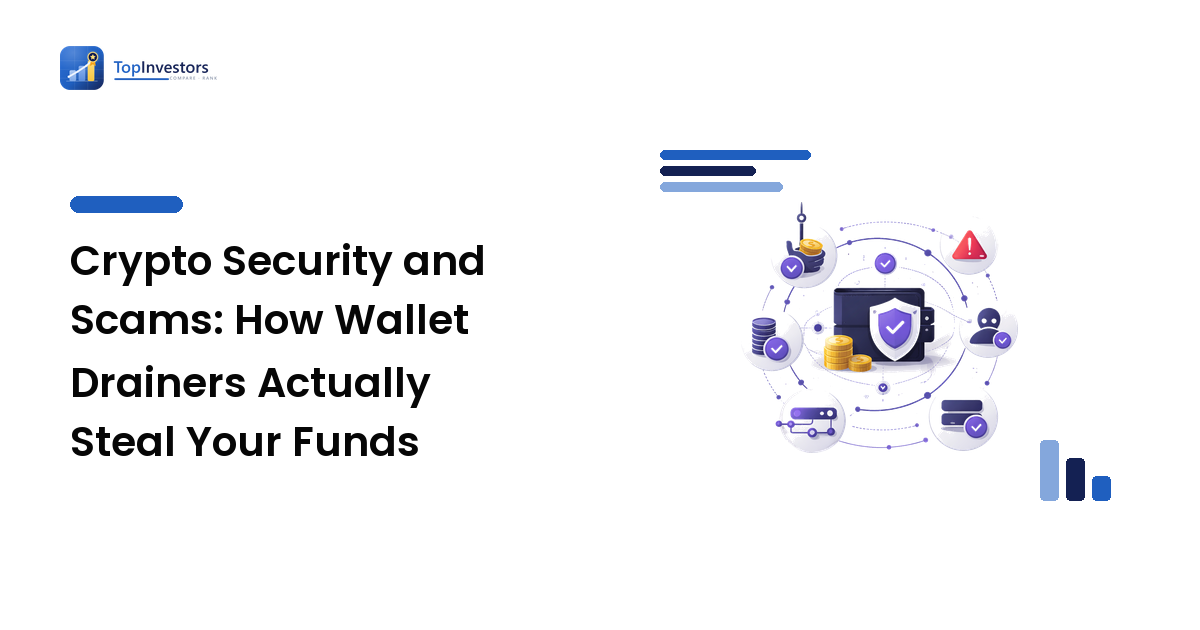
Most people picture crypto theft as someone guessing a password or stealing a seed phrase. The dangerous scams in practice are quieter: you keep your seed phrase safe, you use a hardware wallet, and your funds still vanish — because you approved the theft yourself with one signature you didn't understand. This guide explains how modern wallet drainers actually work, and gives you a repeatable method to catch a malicious request before you sign it.
The short version: the biggest on-chain threat today is not key theft but deception at the signing step. A scam site can't move your money without a signature, so it tricks you into providing one — usually a token approval or an off-chain message that hands over control. If you learn to read what you're signing, you neutralize most of these attacks.
Not financial advice. This is general educational content — not personalized investment advice or a recommendation to buy, sell, or hold any asset. Cryptocurrency is a volatile, speculative asset class where losses can be total and transactions are typically irreversible. Consider speaking with a licensed professional about your own situation.
The mental model people get wrong
The common belief is: "As long as nobody has my seed phrase, my funds are safe." That's only half true. Your seed phrase grants full control, but the blockchain also lets you grant partial, ongoing permissions to smart contracts — and those permissions can be just as draining.
When you use a decentralized exchange or any on-chain app, you don't hand over your keys. Instead, you sign a transaction that says "this contract is allowed to spend my tokens." That permission, called an approval or allowance, persists after the transaction is done. It sits on-chain, silently, until you revoke it. A malicious or compromised contract with an unlimited approval can drain that token whenever it likes — days or months later, with no further action from you.
So the real attack surface isn't just your key. It's everything you've ever approved. Most drained wallets weren't hacked in the cryptographic sense. The owner signed something.
The three attacks that actually empty wallets
1. Malicious token approvals
A fake or copycat app prompts you to "connect" and then "enable trading," which under the hood is a request to approve a spending allowance — often set to unlimited. Approve it, and the contract can transfer that token out of your wallet at will. The deceptive part is that the approval transaction looks routine; it's the same prompt you see on legitimate apps.
2. Signature phishing (off-chain messages)
This one is nastier because it costs no gas and triggers no obvious "transaction." Sites ask you to sign a plain message to "log in" or "verify ownership." Some of those messages are actually Permit or Permit2 approvals, or blanket order authorizations, that grant spending rights without an on-chain transaction at all. You think you signed a harmless login; you signed away your tokens. Because there's no gas fee and no transaction prompt, the usual warning signs are missing.
3. Address poisoning
The attacker sends you a tiny (often zero-value) transfer from a wallet address engineered to look almost identical to one you use — same first and last characters. Later, when you copy a destination address from your transaction history, you grab theirs by mistake and send real funds straight to the thief. The trick exploits the fact that nobody checks the middle of a 42-character address.
A method that actually works: read before you sign
The fix isn't a product — it's a habit. Before you approve anything, run this checklist. It takes fifteen seconds and stops nearly every drainer.
- Name the action. Is this prompt an approval (granting spend rights), a transfer (sending funds now), or a signature (an off-chain message)? If your wallet doesn't make this clear, slow down.
- Check the spender and the amount. For an approval, your wallet shows which contract you're authorizing and how much. If the amount reads "Unlimited" and you only meant to swap a fixed amount, that's a red flag — set a custom, limited amount instead.
- Decode off-chain signatures. If a site asks you to "sign a message," read it. Words like
Permit,seaport,order, or aspenderfield mean you may be granting spending rights, not logging in. A genuine login signature is short and human-readable. - Verify the URL and contract, not the logo. Drainers clone real interfaces pixel-for-pixel. The logo proves nothing. Confirm the exact domain and, where possible, the contract address.
- Never paste an address from transaction history. Get receiving addresses from the source — a saved contact, a QR code, the recipient directly — and confirm the whole string, not just the ends.
A worked example with real numbers
Say you want to swap 200 USDC for another token on a DEX. The app prompts two steps. The first is an approval: it asks permission for the router contract to spend your USDC. The default request is often Unlimited (technically a max value of 2^256−1 — effectively infinite).
Here's the difference that habit makes. If you approve the default unlimited allowance, that router can move all of your USDC, now and forever, until you revoke it. If the contract is malicious — or a legitimate one is later exploited — your entire USDC balance is exposed, even the 5,000 you weren't trading.
If instead you edit the approval to exactly 200 USDC, the worst case is capped at 200. You pay a few cents more in gas to re-approve next time, and in exchange you've turned a "lose everything" risk into a "lose 200" risk. That's the trade-off, stated plainly: a tiny, repeated cost for a hard ceiling on your downside.
Now multiply across a year of activity. A wallet with ten unlimited approvals to ten different apps is exposed to ten separate failure points, any one of which can drain that token. A wallet that approves only what it spends, and revokes when done, has almost no standing attack surface.
The common mistakes — and why people make them
- Approving "unlimited" because it's the default. People click the prompt as-is to avoid re-approving later. The convenience is real; the open-ended exposure is the price, and most never revoke it.
- Treating signature requests as harmless. Because there's no gas fee, a "sign to continue" message feels safe. The absence of a transaction is exactly why signature phishing works.
- Trusting the interface over the address. A cloned site looks identical to the real one. Users verify the look, not the domain or contract, so a convincing copy passes.
- Copying addresses from history. It's faster than finding the original source, so people do it — which is precisely the behavior address poisoning is built to exploit.
Each mistake is a shortcut. The attacker's entire business model is betting you'll take it.
Edge cases and caveats
- A hardware wallet does not save you here. It protects your key from extraction, but it will faithfully sign a malicious approval if you confirm it. Cold storage stops key theft, not bad approvals. Reading the request still matters.
- Revoking costs gas. Revoking an approval is itself an on-chain transaction with a network fee, so on busy chains it isn't free. The fix is to over-approve less in the first place.
- Some legitimate apps genuinely need broad approvals to function smoothly. The point isn't "never approve" — it's "approve deliberately, know the spender, and revoke what you no longer use."
- Scam patterns evolve. The specific contract names and message formats change. The durable defense is the habit of decoding intent before signing, not memorizing today's exact scam.
For the foundations of protecting the keys themselves — seed-phrase storage, hot vs. cold wallets, and moving funds into self-custody safely — pair this with our crypto wallets and self-custody guide.
Frequently asked questions
If I never give out my seed phrase, am I safe? No. Most modern theft happens through approvals and signatures you grant yourself, not through stolen keys. Protecting your seed phrase is necessary but not sufficient; you also have to control what you approve.
What is a token approval and why does it persist? An approval is on-chain permission for a contract to spend a specific token from your wallet. It stays active until you revoke it, which is why an old, forgotten, unlimited approval to a now-compromised app can drain you long after you last used it.
Can a signature alone drain my wallet without a transaction?
Yes. Off-chain messages like Permit or Permit2 can grant spending rights with no gas and no transaction prompt. Always read what a "sign to continue" request actually says before approving it.
How do I check and revoke my existing approvals? Use a reputable approval-checker tool for your chain to list every contract you've authorized, then revoke any you don't recognize or no longer use. Revoking is a normal on-chain transaction and costs a small network fee.
Why did I receive crypto I never asked for? It may be address poisoning — a tiny transfer from a look-alike address designed to land in your history so you later copy it by mistake. Never reuse an address pulled from transaction history; confirm it from the original source.
Take the next step
The single habit that protects you most is also the simplest: read every signing request before you approve it, and approve only what you actually intend to spend. Start today by auditing your existing token approvals and revoking the ones you no longer need — that one cleanup closes the most common path attackers use. Then make limited, deliberate approvals your default for everything going forward. Build the habit while the stakes are small, and you'll keep control of your funds as they grow. For more level-headed guides to understanding risk — in crypto and every other asset class — explore the rest of TopInvestors.